10 Best PST File Converter Software For Secure Conversion


In the present world, Microsoft Outlook PST Files contain emails, contacts, calendar, tasks, and attachments of several years. However, there are various instances where people need to convert their PST file into formats like PDF, EML, MBOX, MSG, HTML, CSV, or even PST itself for migration, backup, or cross-platform compatibility.
Although Microsoft Outlook offers limited export facility but using the Best PST File Converter Software will allow the user with fast conversion, batch conversion and even conversion of large or password-protected PST files. Thus, the selection of the best software depends upon several aspects like export format, performance and pricing etc.
10 Best PST File Converter Software: Overview
| No. |
Software Name |
Batch Conversion |
Large PST Support |
Preview Mailbox |
Password-Protected PST |
Starting Price |
Suitable For |
| 1 |
SysTools PST File Converter |
Yes |
Yes |
Yes |
Yes |
Starting at ₹49 |
Individuals, IT Admins & Enterprises |
| 2 |
4n6 PST File Converter |
Yes |
Yes |
Yes |
Yes |
Starting at $29 |
Personal & Professional Users |
| 3 |
Advik Outlook PST Converter |
Yes |
No |
No |
Yes |
Starting at $39 |
Individual Users |
| 4 |
BitRecover PST Converter |
Yes |
Yes |
Yes |
Yes |
Starting at $29 |
Business & Technical Users |
| 5 |
Mailsware PST File Converter |
Yes |
No |
No |
No |
Starting at $29 |
Small Business Users |
| 6 |
RecoveryTools PST File Converter |
Yes |
Yes |
Yes |
Yes |
Starting at ₹29 |
Bulk PST Migration |
| 7 |
PCDOTS PST Converter |
Yes |
Limited |
No |
No |
Starting at $49 |
Advanced Outlook Conversion |
| 8 |
DotStella Outlook PST File Converter |
Yes |
Yes |
Yes |
Yes |
Starting at $29 |
Entry-Level & Home Users |
| 9 |
Yota PST File Converter |
Yes |
Yes |
Limited |
Yes |
Starting at $99 |
Cloud Email Migration |
| 10 |
Corbett PST Converter |
Yes |
Limited |
Yes |
No |
Starting at $99 |
Professionals & Enterprise Users |
However, finding the most suitable PST Converter could be difficult because several PST File Converters guarantee the security and accuracy of your Outlook mailbox conversion. The best program must provide multiple export formats, preserve email properties, work with large PST files, and ensure easy bulk conversion without losing data security.
In order to help you choose the perfect PST File conversion tool, we have compared the top 10 best PST File Converter based on key features, conversion abilities, ease of use, price, and other aspects. This guide will be useful for everyone, including individual user, IT administrators, or professionals from any company. Now let’s take a closer look at each PST file converter separately.
1. SysTools PST File Converter
The SysTools PST File Converter tool is an expert solution designed for both individual users and organizations. This tool converts Outlook PST files into multiple Email and document formats while maintaining complete mailbox structure. This is the Best PST File Converter software, which also offers options for batch conversion, advanced filtering, password-protected PST files and even damaged Outlook data files. Moreover, it allows users to preview mailbox items before exporting, making it suitable for email migration, and everyday data management.
Prime Features of this Software
- Converts PST files to over 15 popular file formats: Conversion of Outlook PST files can be done to popular file formats including PDF, EML, MSG, MBOX, HTML, CSV, TXT, etc., thus ensuring that your email box is available in various forms.
- Bulk conversion of many PST files at once: You can easily upload as many PST files or an entire folder at one go to get all the files converted.
- Ability to preview mailbox items prior to conversion: See your emails, contacts, calendars, tasks, journal, and attachment items through the preview window to ensure that necessary information is included during the export process.
- Process large, password-protected, and corrupt PST files: Effectively manage oversized, password-protected, and even corrupt PST files while maintaining maximum data retrieval and conversion efficiency.
- The original hierarchical folder structure and email information are maintained: The email format, attachment, sender, recipient, timestamps, and the folder structure are maintained throughout the migration process.
- Compatibility across all Windows and Microsoft Outlook versions: Compatible with ANSI and Unicode PST files for all versions of Microsoft Outlook and works well across all Windows operating systems.
Remember: The trial version of Outlook PST File Converter software allows converting and saving the first 25 items from each folder of the PST file.
SysTools PST File Converter Tool is available with three flexible licensing plans, which allow users to choose the appropriate edition that suits their Outlook conversion requirements.
- Personal License: This plan is available in four flexible licensing plans, allowing individuals, businesses, and IT professionals to choose the edition which is useful for them.
- Business License: The business license is designed for small and medium-sized businesses. This license allows users to install on multiple computers within the same organization.
- Enterprises License: It is made for large enterprises, this edition allows installation on unlimited computers in a single organization, making it suitable for large-scale Outlook conversion.
Software Interface

Software Specifications
Price: $49
Hard Disk: 500 MB
RAM: 4 GB
Operating System: Windows & MacOS
2. 4n6 PST Converter
The purpose of the 4n6 PST Converter is to enable users to get access to their Outlook mailbox information with ease and simplicity. As a result of having a user-friendly interface, it can be considered one of the best PST File Converter utilities.
Robust Features:
- It converts Outlook PST files into multiple formats easily.
- This tool maintains email formatting, attachments, and mailbox folder hierarchy.
- The tool also includes a preview option to verify mailbox data before the conversion process.
- Software is compatible with ANSI and Unicode PST files across different Outlook versions.
System UI

Technical Requirements:
Price: $29
Hard Disk: 100 MB
RAM: 1 GB
3. Advik Outlook PST Converter
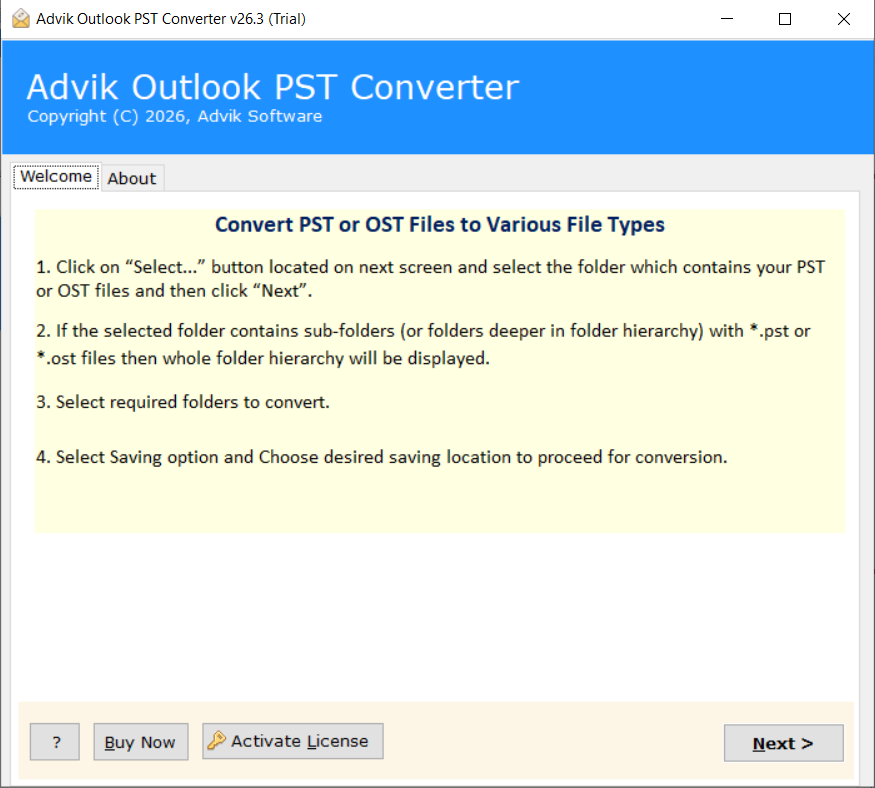
With Advik PST File Converter, managing emails in Outlook becomes easier for the users, as it allows them to export mailbox data for backup, sharing, or migration purposes. There are many different export methods available in this application.
Prime Features
- Advik PST conversion tool export PST files into multiple formats
- It offers selective folder conversion for specific mailbox data
- The software retains original email formatting throughout the export
- Provides an easy-to-use interface for quick PST file conversion.
Software UI
System Prerequisites
Price: Starting at $39
Hard Disk: 500 MB
RAM: 4 GB
Operating System: Windows 11, 10, 8.1, 8, 7
4. BitRecover PST File Converter
PST Converter by BitRecover is an effective tool for businesses and users who want to handle Outlook mailbox data outside the Outlook program. It offers several exporting options for more convenience.
Salient Features
- The tool converts Outlook PST files into multiple email, document, and web-based file formats.
- It allows direct migration of PST mailbox data to cloud-based email platforms
- This professional wizard enables users to split the output files into smaller parts.
- The software supports incremental conversion to avoid processing duplicate mailbox data.
Software Dashboard

Installation Prerequisites
Price: Starting at $29
Hard Disk: 200 MB
RAM: 4 GB
Operating System: Windows & Mac OS
5. Mailsware PST Converter
Mailsware PST Converter is developed to help users efficiently manage Outlook mailbox archives across different platforms. Its streamlined workflow makes PST processing simple without requiring extensive technical knowledge.
Top Characteristics
- This reliable software supports incremental conversion to process only newly added Outlook mailbox items.
- The tool automatically detects configured Outlook PST files for quicker file selection.
- It also allows users to choose a custom destination path for saving converted files.
- Provides multiple file naming options to organize exported emails efficiently.
Software Dashboard

Installation Specification
Price: Starting at $29
Hard Disk: 500 MB
RAM: 4 GB
Operating System: Windows & Mac OS
6. Recovery Tools PST Converter
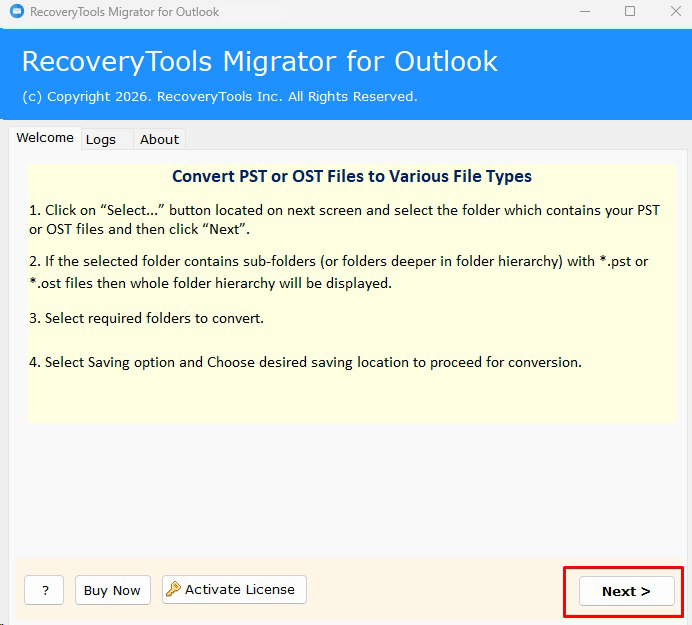
Recovery Tools PST Migrator is yet another great PST File Converter utility that is specifically designed to assist users in migrating Outlook PST files into different file formats and also into desktop email clients as well as cloud applications.
Prominent Features
- The tool supports migration of PST files to 35+ file formats, email clients, and cloud services.
- It also includes a Recovery Mode to process damaged, inaccessible, or orphaned PST files.
- The software offers automatic Outlook profile detection along with manual file and folder selection.
- This robust tool provides folder language mapping for multilingual mailbox migration.
System Interface
Software Specification
Price: Starting at $29
Hard Disk: Around 150 MB
RAM: 2 GB
Operating System: Windows & Mac OS
7. PCDOTS PST Converter
PCDOTS PST Converter concentrates on offering users various choices in exporting their mailboxes from Outlook. It ensures efficient management of mailbox objects and allows users to customize them during the process. PCDOTS PST Converter is considered one of the best PST File Converters.
Salient Features
- This automated tool converts ANSI and Unicode PST files without requiring Microsoft Outlook.
- Supports dual file selection modes by adding individual PST files or entire folders.
- The tool allows users to exclude duplicate emails during the conversion process.
- It offers advanced email filtering based on date range, subject, sender, and recipient.
- This tool provides automatic destination folder creation for organized output management.
- Also, supports simultaneous conversion of emails, contacts, calendars, tasks, and journals while preserving their attributes.
UI of the Tool

Software Specification
Price: Starting at $49
Hard Disk: 100 MB
RAM: 2 GB
Operating System: Windows 11, 10, 8.1, 8, 7, Vista, XP. Server 2019, 2016, 2012, 2008, 2003, and earlier.
8. DotStella PST File Converter
The DotStella PST Converter Tool is an app for people who want their Outlook mailbox information to be available on more than one platform. The tool provides the following features in a single application, such as mailbox preview, cloud migration, and export.
Key Features:
- The tool supports dual scanning modes to efficiently process healthy and inaccessible PST files.
- This Best PST File Converter tool offers Quick Search and Advanced Search to locate specific mailbox items before conversion.
- It allows users to hide empty and system folders for a cleaner mailbox view.
- The software provides Hex View and Properties View for detailed mailbox inspection before export.
System Interface

Software Specification
Price: Starting at $29
Hard Disk: 100 MB
RAM: 2 GB
Operating System: Windows 11, 10, 8, 8.1, 7
9. Yota PST File Converter
Yota PST Converter is a PC tool that allows you to deal with your Outlook mailbox information outside the Outlook environment. The software provides you with email migration and cloud connectivity capabilities.
Top Features
- Provides direct migration to Gmail, IMAP, and Thunderbird without requiring Outlook.
- Offers five preview modes, including Content, Properties, Message Header, Hex, and Raw Message.
- This tool allows users to extract email addresses and phone numbers from Outlook PST files.
- Includes a built-in PST repair option for handling inaccessible or damaged PST files before conversion.
Software UI

Software Specification
Price: Starting at $99
Operating System: Windows 11, 10, 8, and 7
10. Corbett PST File Converter Tool
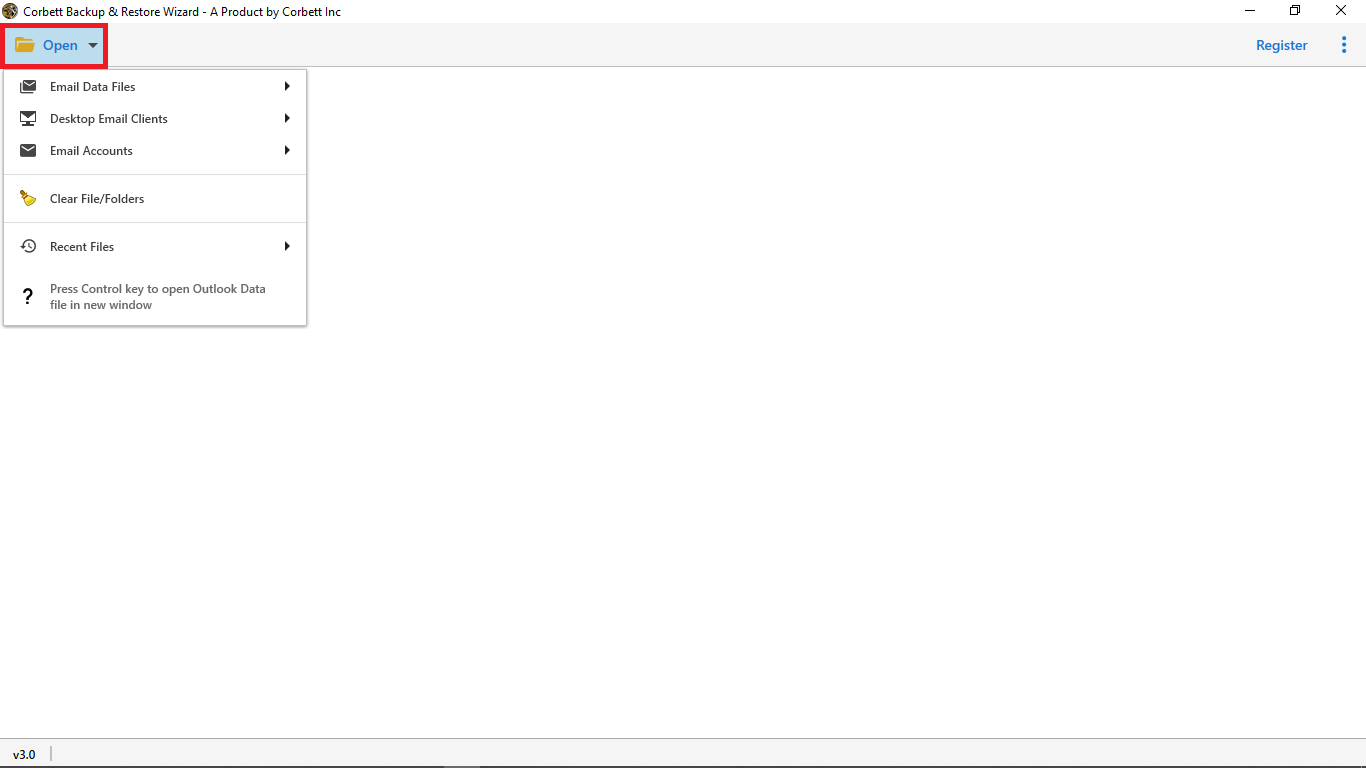
Corbett PST File Converter Tool is suitable for professionals who require advanced mailbox processing with flexible export and migration options. The software includes several data extraction and search capabilities for efficient Outlook mailbox management.
Best Features
- This Best PST File Converter supports 100+ export destinations, including cloud platforms and email services.
- It automatically detects Outlook profiles to locate PST files without manual browsing.
- The software provides five mailbox preview modes, including Content, Hex, Properties, and Raw Message.
- Also, allows users to extract email addresses, phone numbers, and attachments separately.
Interface of the Tool
Technical Prerequisites
Price: Starting at $99
Hard Disk: 100 MB
RAM: 4 GB
Operating System: Windows 11, 10, 8, and, 7
Concluding Words!
Finding the right PST file converter depends on your specific requirements, whether you need a simple file conversion tool or a feature-rich solution for professional mailbox migration. In this guide, we’ve reviewed some of the best PST File Converter software based on their features, pricing, compatibility, and ease of use to help you make an informed decision.
Before making your choice, compare each tool’s capabilities, supported export formats, licensing options, and system compatibility. Selecting software that aligns with your Outlook data conversion needs will ensure a smooth, secure, and efficient conversion experience.
Frequently Asked Questions
In this section, I have mentioned all the important questions which can help you to choose the right solution to convert PST files into multiple formats.
Q1. Can I convert only the selected folder from a PST file format?
Ans: Yes, many PST File converter tool allows you to choose specific folders, such as inbox, sent items, contacts, or calendar, instead of converting the entire mailbox.
Q2. Can password-protected PST files be converted?
Ans: Many advanced PST converter applications support password-protected PST files, allowing users to export mailbox data securely after authentication.
Q3. Is batch conversion available in PST converter software?
Ans: Yes. Many PST converter tools include a batch conversion feature that enables users to process multiple PST files or complete folders in a single operation.
Q4. Is there any file size limitation while converting the Outlook PST file?
Ans: The file size depends on the software. The best PST File Converters are suitable for processing large Outlook PST files without affecting the original data.
Q5. Is it Possible to migrate PST files directly to cloud email services?
Ans: Most of the PST conversion tools preserve attachments, embedded images, hyperlinks, and email formatting during the conversion process.
Also Read:
Best OST to PST Converter
Best MBOX to PST Converter
